1. What the LINDBERG Customiser Is
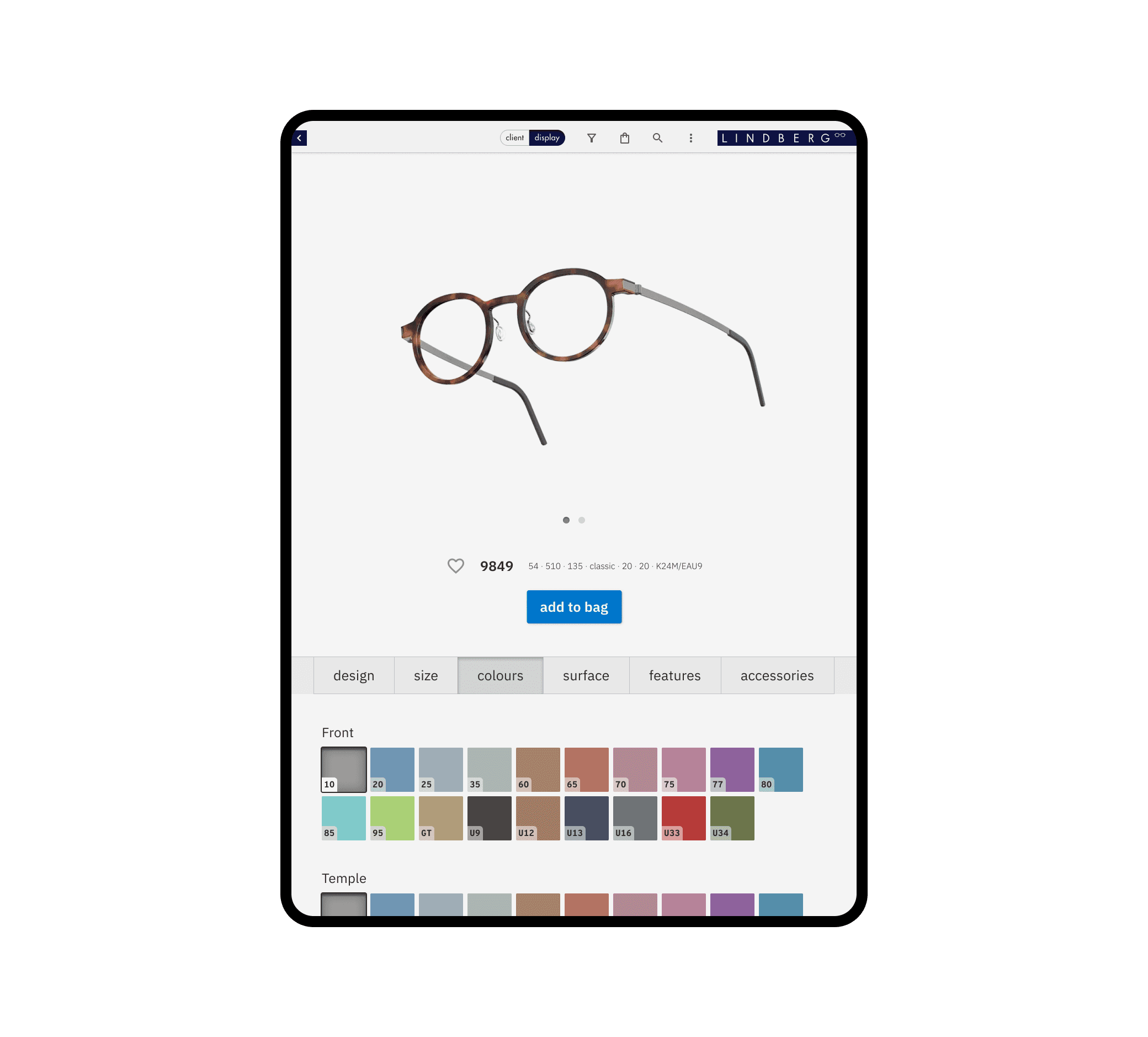
The LINDBERG Customiser is a global B2B eyewear configuration platform used by consultants and retailers to build, visualise and order highly customised frames.
LINDBERG’s eyewear catalogue is extremely flexible: shapes, sizes, materials, temples, bridges, colours, patterns — everything can be customised. In the past, consultants had to describe combinations verbally or flip through brochures with clients. Orders were handwritten, then manually typed into internal systems. The Customiser was conceived as a flagship product that would modernise this entire workflow:
Consultants could build and preview frames with clients
Orders could be placed digitally
Clients themselves could become more autonomous
The business could reduce errors, phone calls, and manual processes
This tool effectively became the backbone of LINDBERG’s future digital infrastructure.
2. The Core Challenges
The biggest challenge was scale and dependency complexity. Hundreds of shapes, multiple sizes, and countless options resulted in billions of possible combinations, all with nuanced rules:
Some temples didn’t support certain colours
Some product lines allowed different bridge designs, others didn’t
Materials influenced available patterns or covers
The interface had to guide users safely through this complexity without overwhelming them.
Another major challenge was global performance. The data structures required to support the product were heavy, and LINDBERG serves markets with both excellent and extremely weak connectivity. Performance wasn’t just a tech problem — it was a design problem.
Connectivity issues even required offline functionality, enabling consultants to present collections without internet and sync afterwards.
Finally, the Customiser would change the daily workflow of sales, consultants, and customer service. Some consultants were anxious: orders were complicated, iPads were unfamiliar, and not all clients were comfortable with technology. The design had to support this transition gently.
3. My Role
I served as Lead UI/UX Designer, working closely with LINDBERG’s internal teams (management, graphics, sales, marketing) and an external development partner (Ditmer).
My work included:
Deep UX research with consultant focus groups
Field studies to understand real ordering workflows
Leading UI/UX execution in two-week agile sprints
Close collaboration with 3D artists, photographers, videographers and developers
Overseeing quality assurance — taking responsibility for testing and safeguarding the user experience before features went live
I joined the project after an initial designer, inheriting a partially refined UI but an experience that still needed coherence, performance thinking, and strong user-centred structure.
4. Approach
4a. Field Research and Focus Group
I went with a consultant on client visits to learn about their interaction, the context of the future use of the Customiser, and what level of product knowledge a client posseses.
We had a dedicated focus group consisting of several LINDBERG consultants from around the world. They performed qualitative user tests on new features. They helped us prioritise our backlog. They became early adopters of the Customiser and served as ambassadors for the product within the LINDBERG consultant ecosystem, in which there was some resistance to change.
4b. Designing for Performance, Perceived and Measurable
To make the tool feel fast despite heavy data and images, I introduced multiple performance-oriented design tactics:
Skeleton screens and progress feedback to make waiting feel intentional
Behaviour prediction and preloading the next likely step
Reusing cached thumbnails as placeholders during high-res loading
Ultra-fast transitions to keep the sense of forward momentum
I also helped shape the offline mode, allowing consultants to download product bundles and continue working with clients in areas without connectivity.
4c. A Dedicated Consultant Mode
Consultants often needed to order 100+ frames in under an hour. The original interface hid each option in separate menus — fine for a single client session, but disastrous at consultant scale.
I redesigned a condensed, gesture-driven customiser:
All options surfaced in a single overview
Double-tap to apply a colour to the entire frame
Fewer steps for each action
Reduced decision friction when working under time pressure
This drastically sped up real-world usage.
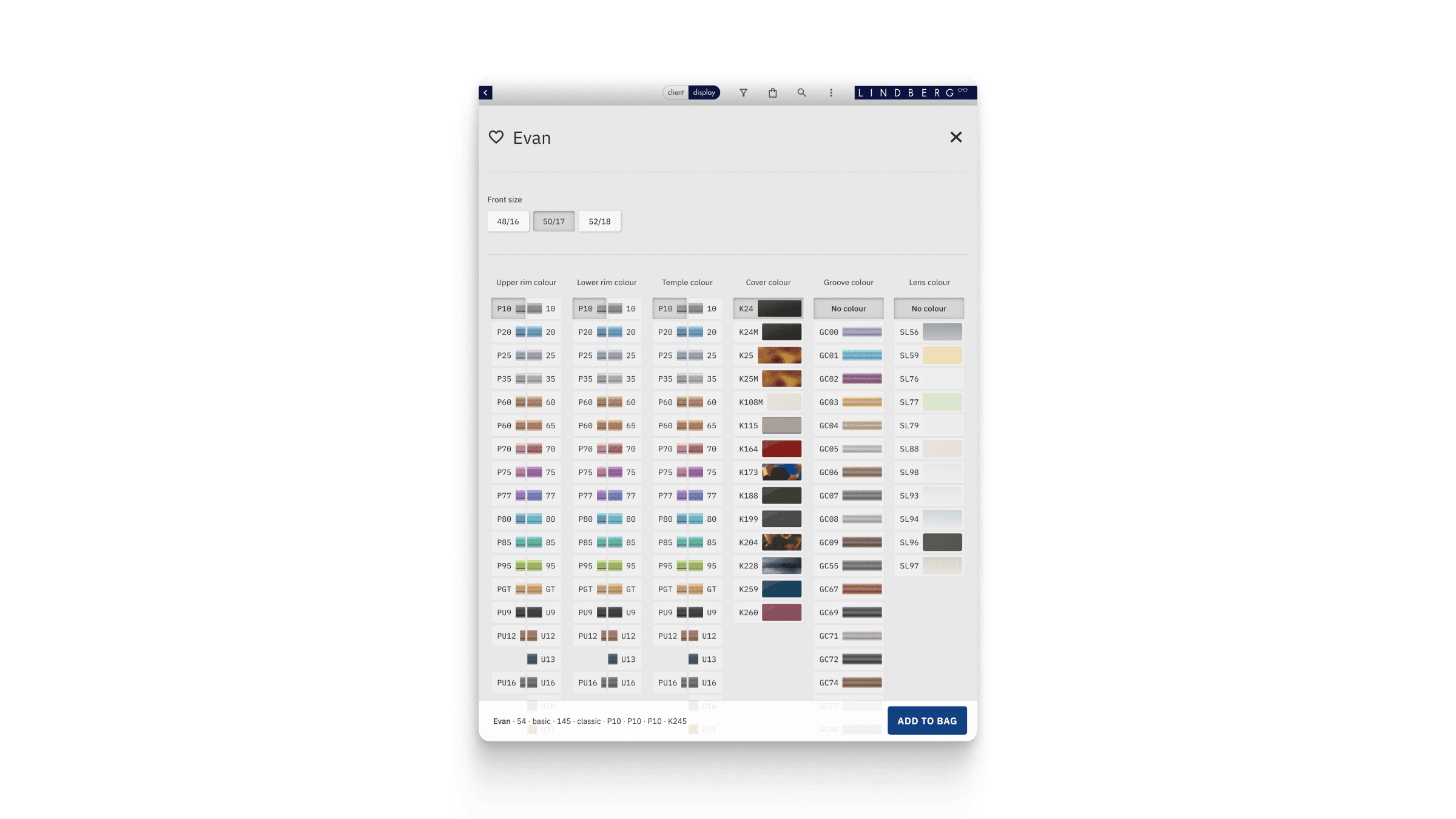
Consultant ordering view of the Customiser. Displaying an image in this view was not necessary. Not showing a dynamic image increased performance and reduced required scrolling. Eventhough Consultants knew all colors by heard, image thumbnails for colors were kept for scanability.
4d. Favorites for Market Specific Workflows
Each consultant has their own bestsellers and market preferences. I designed a favorites system where they could preconfigure and save their frequently sold frame designs. This allowed consultants to start most orders from a pre-approved template — a massive time saver and a strong driver of adoption.
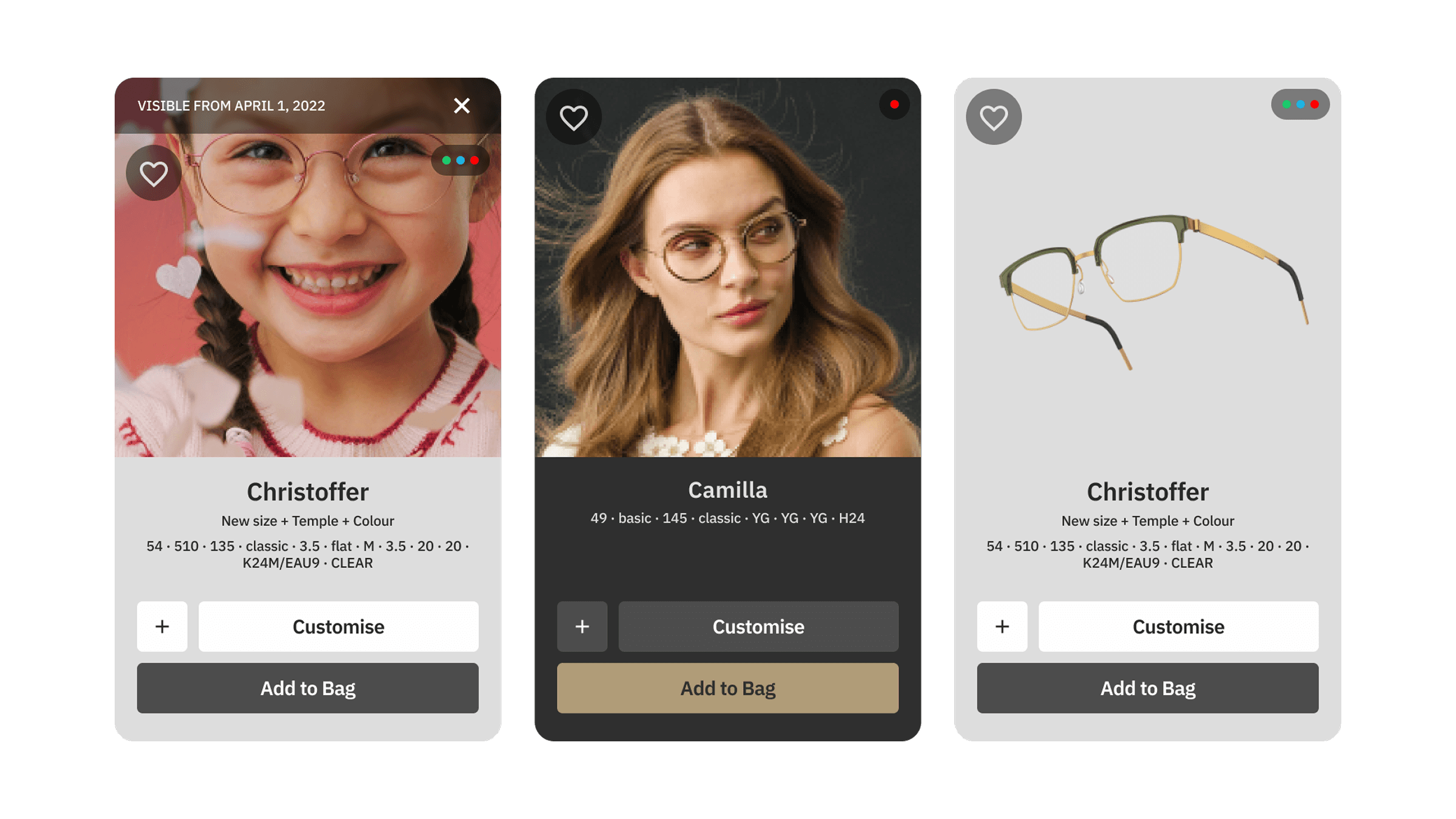
Favorites shape configurations presented as cards. Products on dark cards belonged to the Precious product line with exclusive frames made from precious metals and often fitted with gemstones.
5. Results
The Customiser fundamentally changed how LINDBERG operates:
Handwritten orders were eliminated
Manual data entry in sales decreased significantly
Error rates were reduced
Consultants could work faster and more confidently with clients
Clients themselves gained autonomy and no longer needed to call customer service for most orders
Markets began selling more diverse combinations because they finally had visuals for every option
The B2B customiser laid the foundation for the future B2C customiser — using the same infrastructure
The product became central to LINDBERG’s digital strategy.
6. Learnings
This project taught me:
How to design extremely complex configuration systems for a global audience
Advanced strategies for perceived and measurable performance
Collaborative work inside a multidisciplinary creative environment (3D, photography, video, graphics, dev)
Practical UX research, field studies and empathetic design for non-tech-savvy users
How to work iteratively and effectively within a scrum environment